Player 2 on the GKD Pixel 2: Phone or Computer
Player 2 lets a friend join your NES game from a phone or computer browser. The handheld remains player 1. Sound stays on the handheld. Your friend needs no app or account.
These steps cover ZyperOS 1.0.5. Check your version in MENU > About.
What you need
Player 2 currently supports NES games only on the GKD Pixel 2. Choose a game with a two-player mode.
- Phone: a supported USB Wi-Fi adapter in the handheld. Player 2 creates its own Wi-Fi network.
- Computer: a USB data cable and a recent browser. The computer keyboard controls player 2.
The Pixel 2 has no built-in Wi-Fi. See the adapter guide for connection details. A controller paired with the phone or computer does not work with Player 2 yet.
Connect a phone
- Connect the Wi-Fi adapter before you start the game.
- Choose USB Accessory if the handheld asks what you connected.
- Start an NES game.
- Press MENU, then select Player 2.
- Press A to start the network.
- Scan the handheld's QR code with the phone camera.
- Join the network.
- Open
http://10.42.1.1/playin the phone browser if the game page does not open automatically. - Press B on the handheld, then select Continue.
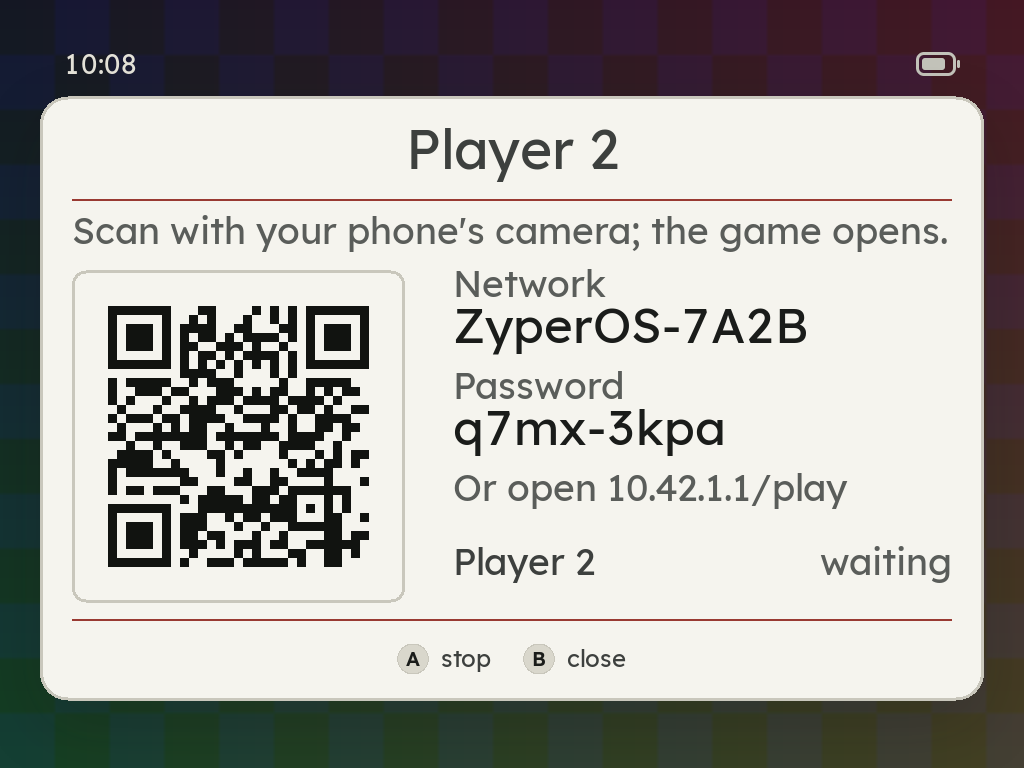
The game page first opens in the phone's network sign-in window. The full browser also works at the address above. Select the game's two-player mode to play together.
Use the phone controls
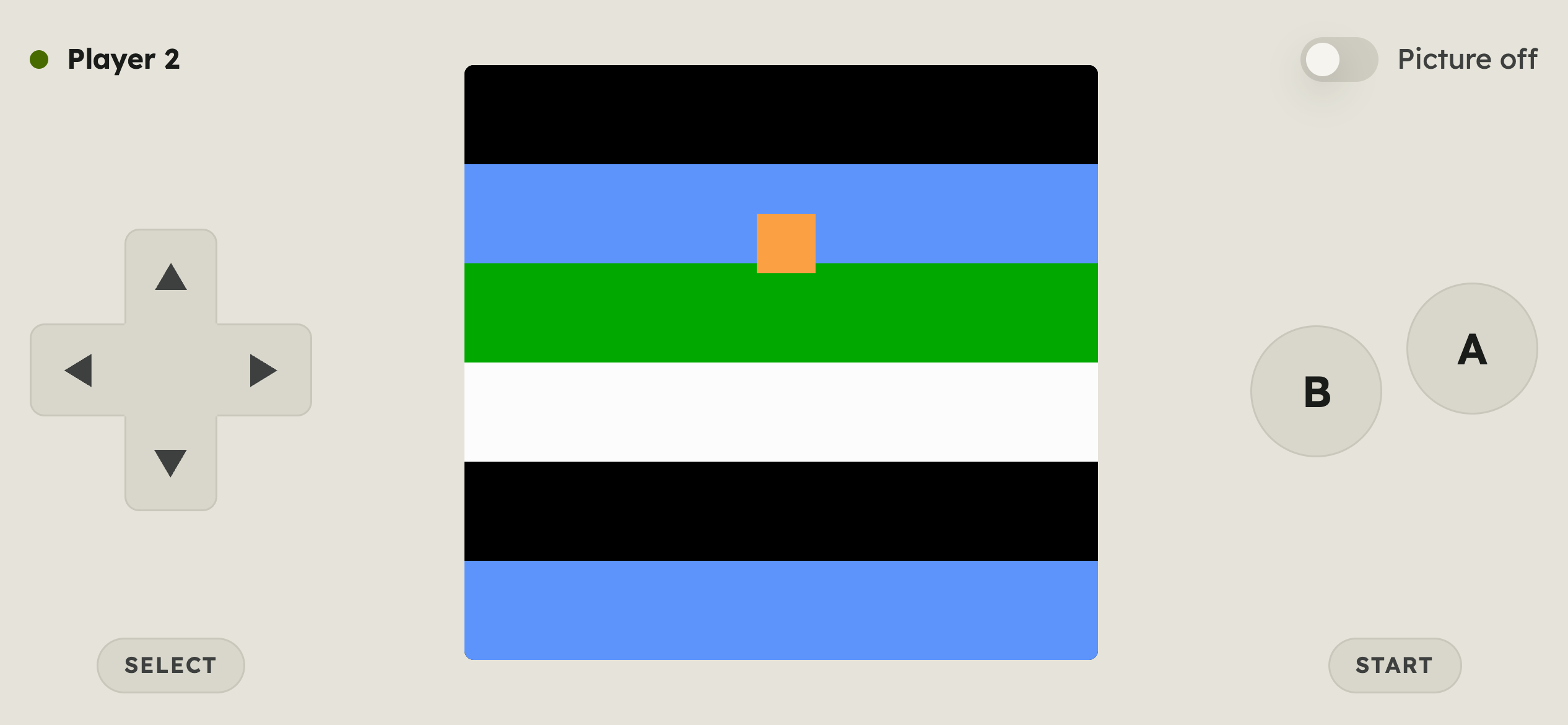
The phone shows the game and an NES pad. Turn the phone sideways for controls beside the picture. Picture off hides the picture when your friend watches the handheld.
Connect a computer
Connect the USB data cable, then start Player 2 from the game's menu. Open http://zyperos.local/play, or http://10.42.0.1/play, on the computer.
| Computer key | NES control |
|---|---|
| Arrow keys | D-pad |
| Z / X | B / A |
| Shift / Enter | SELECT / START |
Windows 10 lacks the driver for this USB connection. A USB-A to USB-C cable avoids connection problems with some computers' USB-C ports.
Stop or reconnect
Press A on the Player 2 page to stop it. Quitting the game also stops it. A new Wi-Fi session creates a new password, so your friend must scan the new code.
The game is full means another browser occupies player 2. That player can leave the page to free the place.