RetroAchievements on the GKD Pixel 2
RetroAchievements adds achievements to classic games: beat a boss without a hit, find every secret, finish a level under a time. ZyperOS has it built in on the GKD Pixel 2. You sign in on the handheld, and after a game's first start it works offline too. This guide shows what you need and how it looks.
On this page
What you need
- A free RetroAchievements account, made at retroachievements.org.
- A USB Wi-Fi adapter for the sign-in and for each game's first start. The Pixel 2 has no Wi-Fi of its own; the Wi-Fi guide says which adapters work.
- A game RetroAchievements knows. It identifies a game by a checksum of the ROM, so a clean dump of a common release is what it has sets for. A hack or a fan translation often has no set.
Sign in
- Plug in the Wi-Fi adapter and join a network in MENU > Wi-Fi.
- Open MENU > Achievements. The row says
sign in. - Type your user name and password with the on-screen keyboard.
The row then shows your account. The Achievements row only appears while the Wi-Fi adapter is in, since signing in needs the network.
Play
Start a game as usual. The first time a game starts, the handheld needs Wi-Fi to identify it and download its achievements. ZyperOS keeps them on the card, beside the box art, so from then on the game has its achievements with or without Wi-Fi.
What you unlock without Wi-Fi waits on the card, and reaches your account the next time the handheld connects. If the account already has an achievement, that is no error: ZyperOS counts it as settled.
ZyperOS sends unlocks as softcore achievements. It has no hardcore mode.
Badges, pop-ups and the list
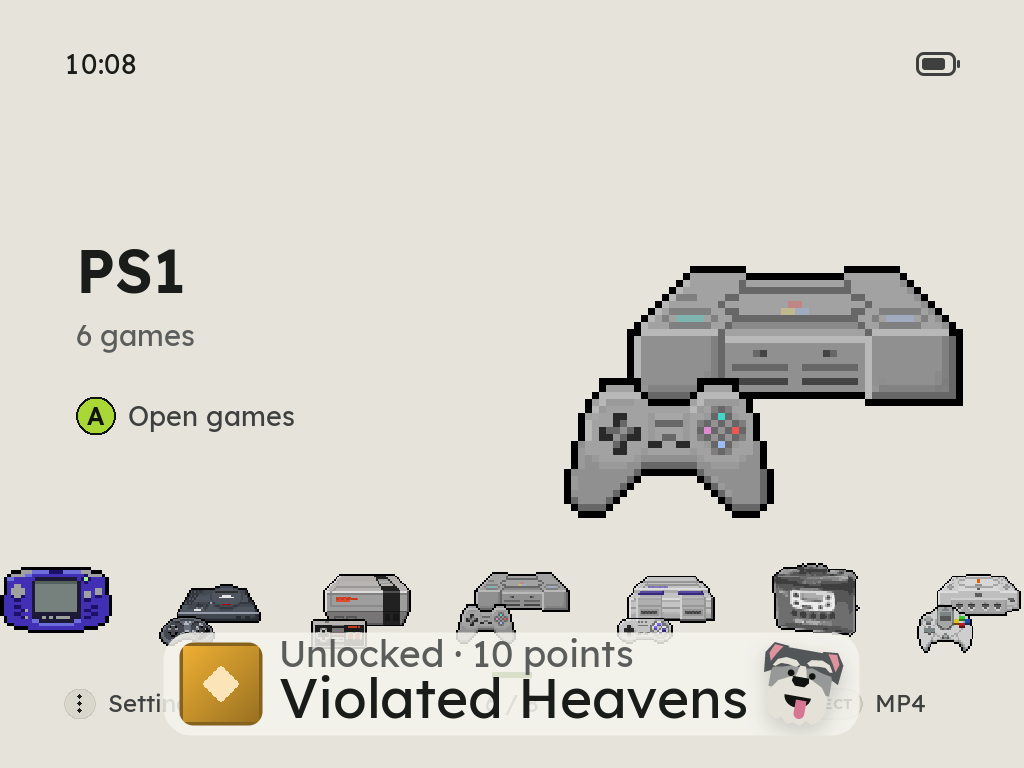
- An unlock shows a notice at the bottom of the screen with the achievement's badge and name, and Zyper at the right. Until the badge is on the card, a trophy stands in for it. The badges are fetched while the handheld is online and no game is running, never during a game.
- Progress, for achievements that count something, shows a strip and a count such as 74 / 100.
- The side lights sparkle for an achievement: two pairs of lights take turns. MENU > Side Lights turns that off.
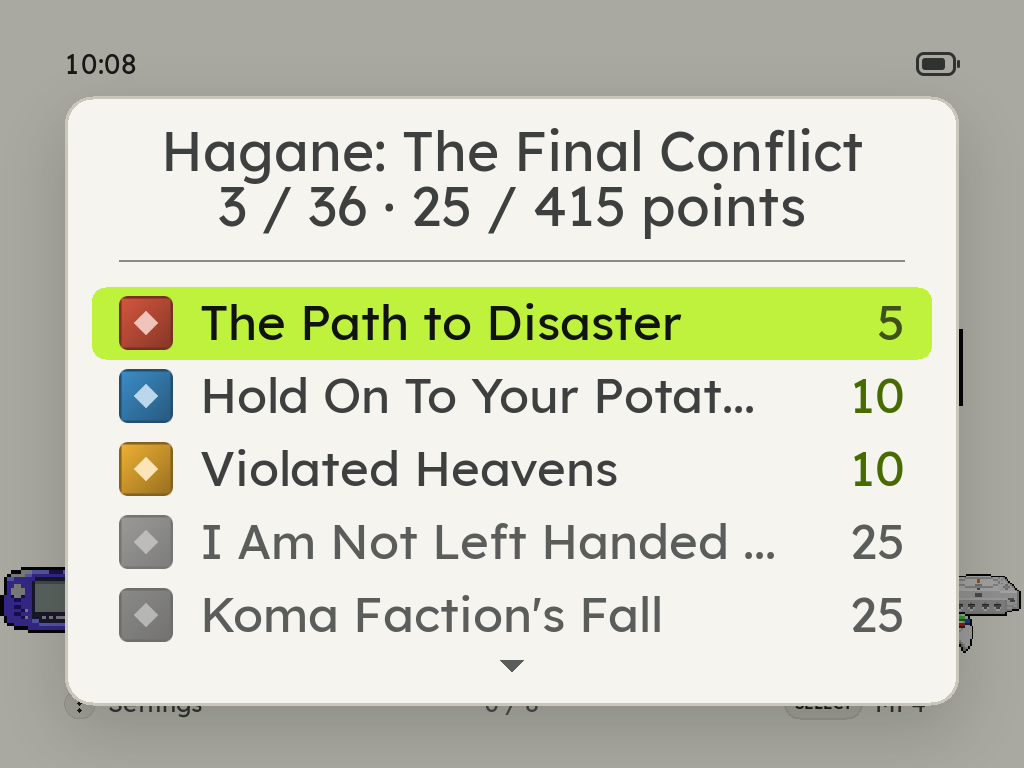
- The list, Achievements in the in-game menu, shows every achievement of the game with its badge, grey until you earn it, and the count where one is moving.
On the shelf, each game's card shows its achievement count under the title.
If an achievement does not unlock
- Check the sign-in in MENU > Achievements.
- Check the first start had Wi-Fi. Without it, ZyperOS cannot identify the game. Start it once with the adapter in.
- Check the dump. A ROM with a different checksum is a game RetroAchievements has never seen. A zip is checked on its largest file, which is the one ZyperOS runs.
Sources
- ZyperOS README, FAQ: How do achievements work?
- The ZyperOS user guide: the Achievements row, the in-game menu, the side lights.
- DESIGN.md, 11.7 Notice: the badge and progress notices, and the achievements list.
- src/rafetch.h and src/rahash.h: softcore unlocks, and how a game is identified.