Box Art and Video Previews on the GKD Pixel 2
A shelf of covers is easier to browse than a list of file names. On many systems for the GKD Pixel 2 you scrape box art on a computer and copy it over. ZyperOS fetches it on the handheld itself, from three sources, and can turn a cover into a few seconds of the game. This guide shows how, and what to do for a game no source has.
On this page
The short answer
- Plug in a USB Wi-Fi adapter and join a network.
- Open MENU > Scraper and choose Fetch Missing Art.
- Wait for the count to finish. B stops it at any time. The shelf has the covers when you leave the screen.
That uses libretro's free collection, with no account. The rest of this guide adds better matches, game details and video snaps.
The three sources
MENU > Scraper lists the sources in the order a fetch asks them.
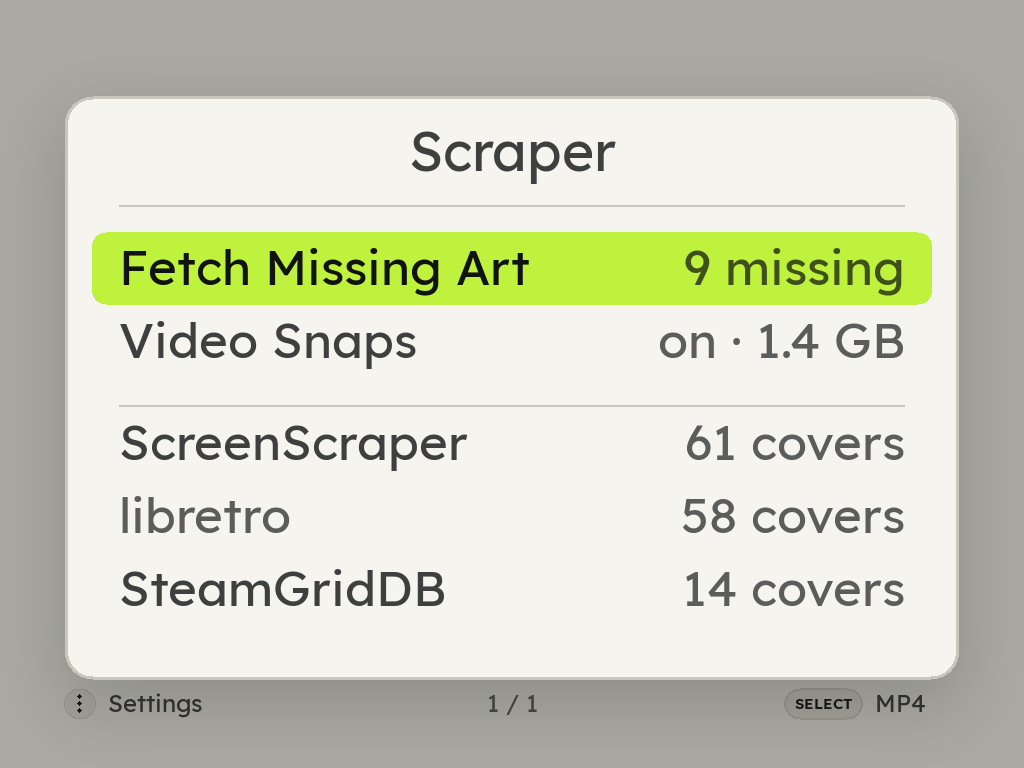 Scraper: Fetch Missing Art, Video Snaps, then ScreenScraper, libretro and SteamGridDB with the covers each found">
| Source | Account | What it brings |
|---|---|---|
| ScreenScraper | A free ScreenScraper account, linked on its page in Scraper | Covers, plus each game's name, year, genre and synopsis, and the video snaps. Asked first when linked. |
| libretro | None | Covers from libretro's thumbnail collection, by file name, and for zipped games by checksum. |
| SteamGridDB | Your own free API key | Portrait covers for what the other two lack, such as homebrew, hacks and ports. Asked last. |
ScreenScraper also needs a developer pair that each ZyperOS build is made with. A build without it says not in this build on ScreenScraper's page, and the fetch uses libretro and SteamGridDB.
libretro: matching by checksum
libretro files its covers under the game's name in No-Intro's catalog. A zip records its ROM's checksum, so when the file name does not match, ZyperOS looks the game up by that checksum instead, and a file with an old or odd name still finds its box.
SteamGridDB: adding your key
Get a free API key at steamgriddb.com, under Preferences, API. Type it on SteamGridDB's page in MENU > Scraper, or paste it on the File Transfer page in a browser, which is easier than typing 32 characters on the handheld. The key stays on the card, and ZyperOS shows only its last four characters.
Video previews on the shelf
With ScreenScraper linked, ZyperOS can fetch each game's video snap: a few seconds of the game's own screen. Rest on a game for three seconds and its cover turns wide and plays the snap in a loop. Move on, or open a menu, and the cover comes back.
MENU > Scraper > Video Snaps has the settings:
- Fetch with Box Art: fetch each game's snap with its cover. Off to start.
- Play on the Shelf: on to start.
- Sound: muted to start, quiet or full. Never over music playing in MP4.
- Each console: on or off, with the room its snaps take. A snap is a megabyte or three.
- Delete All, after a question.
A snap is a file, Roms/<console>/.media/<game>.mp4, beside the cover. One you put there yourself plays too.
A game no source has
Fan translations, homebrew and rare dumps are often in no catalog. Add a cover yourself:
- Make a PNG about 512 pixels on its long side.
- Name it exactly like the game file, with
.pngin place of its extension:Black Castle.gbwantsBlack Castle.png. - Put it in
Roms/<console>/.media/, with the card in a computer or on the File Transfer page.
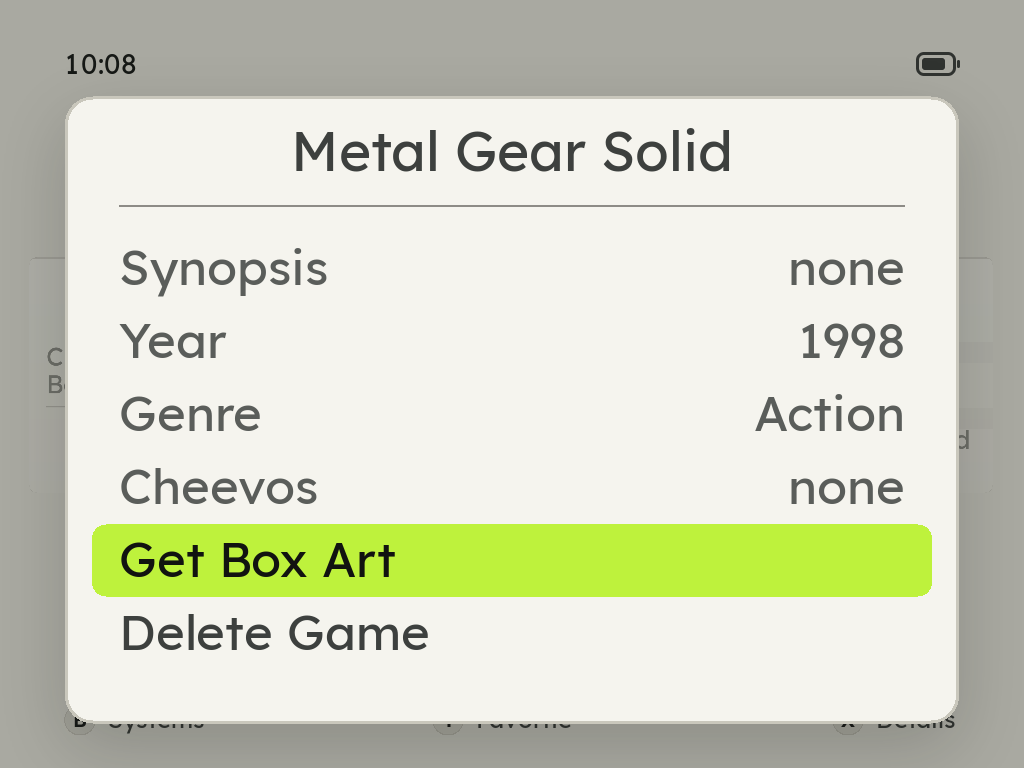
A fetch never writes over a cover that is already there. To swap one, press X on the game and choose Replace Box Art: it looks again, and keeps the one you had if nothing turns up.
Covers that went missing after a transfer
A console's folder sent with the File Transfer page arrives without its covers, because a browser leaves the hidden .media folder behind. Send the covers on their own: drop the PNG files into the console's .media folder on the page, or drag the .media folder itself onto the console's folder. On a Mac, Cmd-Shift-. shows hidden folders in Finder.
No Wi-Fi adapter? Over the USB cable, the File Transfer page's Settings can fetch missing box art with the computer's own internet, and the handheld matches each cover to its game.
Sources
- ZyperOS README, FAQ: A game has no box art, and The File Transfer page.
- The ZyperOS user guide, Scraper and The shelf: the sources' order, video snaps, checksum matching, covers added by hand.